To identify features
in the Map Canvas use the
Information Tool  from
the Tool Bar.
from
the Tool Bar.
In the Layer/Legend frame:
Make the layer of interest visible by checking "on" the checkbox opposite that layer and refreshing map.
To identify features
in the Map Canvas use the
Information Tool from
the Tool Bar.
Left-Click directly over the feature in the map.

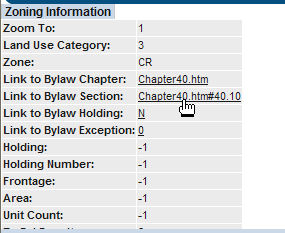
The Information Frame below the map shows information on the selected feature.
Click the link to the Bylaw Chapter to open new window with zoning information on that location.

Zoning information for that chapter (e.g. "Commercial Residential"in the example above where Zone is CR)
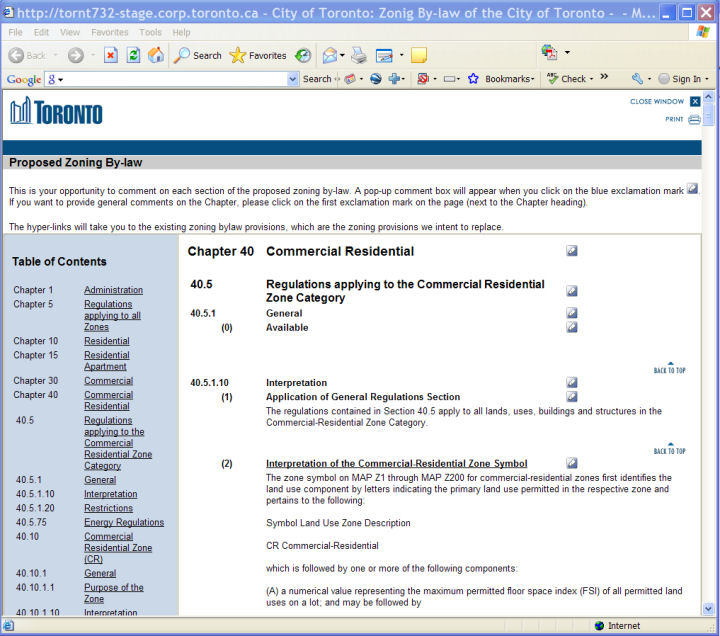
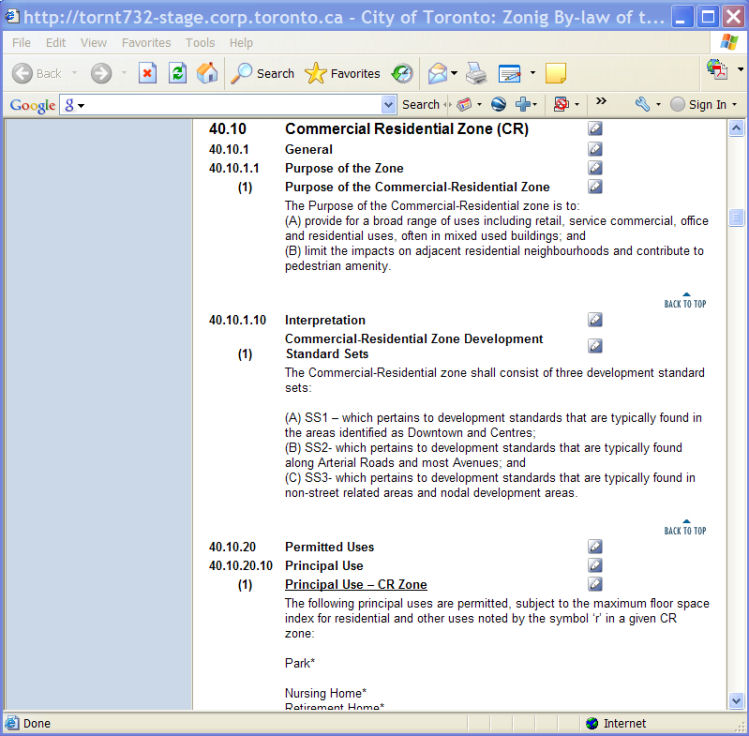
Click the link to the Bylaw Section to open new window with bylaws for that section.
Zoning information for that section (e.g. "Commercial Residential Zone")
You can make comments on each clause of
the zoning bylaw by clicking
on the blue pencil mark  .
.
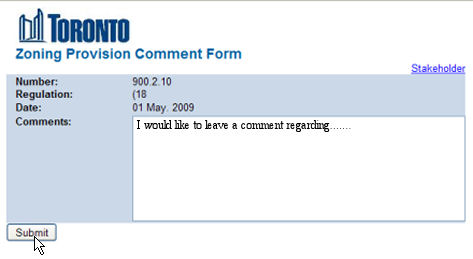
Enter comments and click the Submit button.